 mirivlad
087d7ba0dc
mirivlad
087d7ba0dc
1. Forward type selector: visible radio items (1.Local 2.Remote 3.SOCKS) with descriptions 2. Forward list: column header row (NAME/TYPE/LISTEN/TARGET/ON) 3. Forward delete: confirmation dialog before deletion 4. Server route column: → icon for via/chain, spaces for direct |
||
|---|---|---|
| cmd | ||
| docs | ||
| internal | ||
| .gitignore | ||
| LICENSE | ||
| Makefile | ||
| README.md | ||
| build.sh | ||
| go.mod | ||
| go.sum | ||
| main.go | ||
| release.sh | ||
README.md
sshkeeper
sshkeeper is a Linux console manager for SSH profiles, secrets, and quick
OpenSSH launches. It does not replace OpenSSH; it keeps connection metadata in a
local SQLite database, keeps passwords/passphrases in an encrypted vault, and
starts the system ssh client with the right options.
sshkeeper is not Ansible
sshkeeper does not configure servers, push files, or manage infrastructure.
It is an SSH connection manager: it remembers how to reach your servers
(bastions, jump chains, port forwards) and launches the system ssh client.
Think of it as a smart ~/.ssh/config with a TUI, encrypted secrets, and
port forwarding management.
Features
- Bubble Tea TUI for daily interactive use.
- CLI commands for scripting and quick edits.
- Encrypted vault for SSH passwords and key passphrases.
- Password and key-passphrase auth through a PTY prompt handler, without putting secrets in command-line arguments.
- Key, SSH-agent, password, and key+passphrase auth modes.
- Routes / ProxyJump — manage bastion hosts and jump chains with human-readable display.
- Port forwarding — named local/remote/SOCKS forwards with type selector, validation, and OpenSSH preview.
- Tunnel management — start/stop/restart tunnels, PID tracking, background tunnels, runtime state.
- Tunnel vs Forward — clear separation: forward = saved rule, tunnel = running SSH process.
- Groups, tags, command templates, search, and OpenSSH config generation.
- Import from
~/.ssh/config.
Install
Install from release
Download the latest Linux x86_64 release from:
https://github.com/mirivlad/sshkeeper/releases/latest
tar -xzf sshkeeper_v0.2.0_linux_amd64.tar.gz
chmod +x sshkeeper-linux-amd64
sudo install -m 0755 sshkeeper-linux-amd64 /usr/local/bin/sshkeeper
sshkeeper
Build from source
git clone https://github.com/mirivlad/sshkeeper.git
cd sshkeeper
go build -o ~/.local/bin/sshkeeper .
Requirements: Go 1.25+, Linux x86_64, system OpenSSH.
First Run
Run the TUI or any command. On the first run, sshkeeper creates its config,
database, and vault, then asks for a master password.
sshkeeper
You can also initialize explicitly:
sshkeeper init
Common CLI Commands
# Add profiles with flags
sshkeeper add web --host 10.0.0.10 --user deploy --auth key
sshkeeper add prod --host 10.0.0.20 --user root --auth password
sshkeeper add bastion --host bastion.example.org --user admin --auth key_passphrase --identity-file ~/.ssh/id_rsa

# Or use the interactive CLI prompt
sshkeeper add

# Inspect profiles
sshkeeper list
sshkeeper show web
sshkeeper search prod

# Connect and test
sshkeeper connect web
sshkeeper c web
sshkeeper test web
sshkeeper run web "uptime"

# Groups and templates
sshkeeper group list
sshkeeper template list
sshkeeper template add uptime "uptime"
sshkeeper run-template web uptime

# Tags and startup command
sshkeeper add web --host 10.0.0.10 --user deploy --auth key --tags prod,web --startup-command "tmux attach -t ops"
sshkeeper edit web --tags prod,web --startup-command "tmux attach -t ops"

# OpenSSH config
sshkeeper ssh-config generate
sshkeeper ssh-config install-include

## Routes, Tunnels, and Port Forwards

### Jump host (single bastion)

```bash
sshkeeper route set web --jumps bastion
sshkeeper route show web
# Route: bastion → web@10.0.0.10:22
# Mode: via
# ProxyJump: bastion
Jump chain (multiple hops)
sshkeeper route set prod --jumps bastion,dmz-gw
sshkeeper route show prod
# Route: bastion → dmz-gw → prod@10.0.0.20:22
# Mode: chain
# ProxyJump: bastion,dmz-gw
Port forwards
A port forward is a saved rule that describes how to tunnel traffic through SSH. It does not start any process — it is just configuration.
# Local forward: access a remote service from your machine
sshkeeper forward add web --name "Local PostgreSQL" --type local --local-port 15432 --remote-addr 127.0.0.1 --remote-port 5432

# SOCKS proxy: route browser traffic through SSH server
sshkeeper forward add bastion --name "SOCKS Proxy" --type dynamic --local-port 1080

# List forwards for a server
sshkeeper forward list web
# [1] Local PostgreSQL  Local   127.0.0.1:15432  127.0.0.1:5432  yes
# [2] SOCKS Proxy       SOCKS  127.0.0.1:1080   SOCKS           yes
Forward types:
- Local — port on your machine → service reachable from SSH server
- Remote — port on SSH server → service on your machine
- SOCKS — local dynamic SOCKS proxy through SSH
Default listen address is 127.0.0.1 (localhost only). Use 0.0.0.0 with caution — the port will be accessible from the network.
Tunnels
A tunnel is a running SSH process that activates one or more port forwards.
# Connect with all enabled forwards active (interactive session)
sshkeeper tunnel web

# Start tunnels only (foreground, no shell)
sshkeeper tunnel web --forward-only

# Start tunnels in background (detached process)
sshkeeper tunnel web --background

# List running tunnels
sshkeeper tunnel list

# Stop a tunnel
sshkeeper tunnel stop <id>
Connect vs Tunnel
| Action | Command | TUI | Description |
|---|---|---|---|
| Connect | sshkeeper connect <alias> |
Enter |
Standard SSH session, no port forwards |
| Connect with tunnels | sshkeeper tunnel <alias> |
Action menu → Connect with tunnels | SSH session with all enabled forwards active |
| Start tunnels only | sshkeeper tunnel <alias> --forward-only |
Action menu → Start tunnels only | Foreground tunnel, no shell |
| Start tunnels in background | sshkeeper tunnel <alias> --background |
Action menu → Start tunnels in background | Detached tunnel process with PID tracking |
| Manage port forwards | sshkeeper forward |
Action menu → Manage port forwards | Add/edit/delete forward rules |
| Manage tunnels | sshkeeper tunnel list/stop |
Action menu → Manage tunnels | View running tunnels, stop, restart |
Commands that only read profile metadata, such as list, show, search,
config path, group list, and export, do not require the master password.
Commands that need secrets ask for the master password in that process. Adding
key or agent profiles does not require unlocking the vault; adding
password or key_passphrase profiles asks for the master password before
storing the secret.
TUI
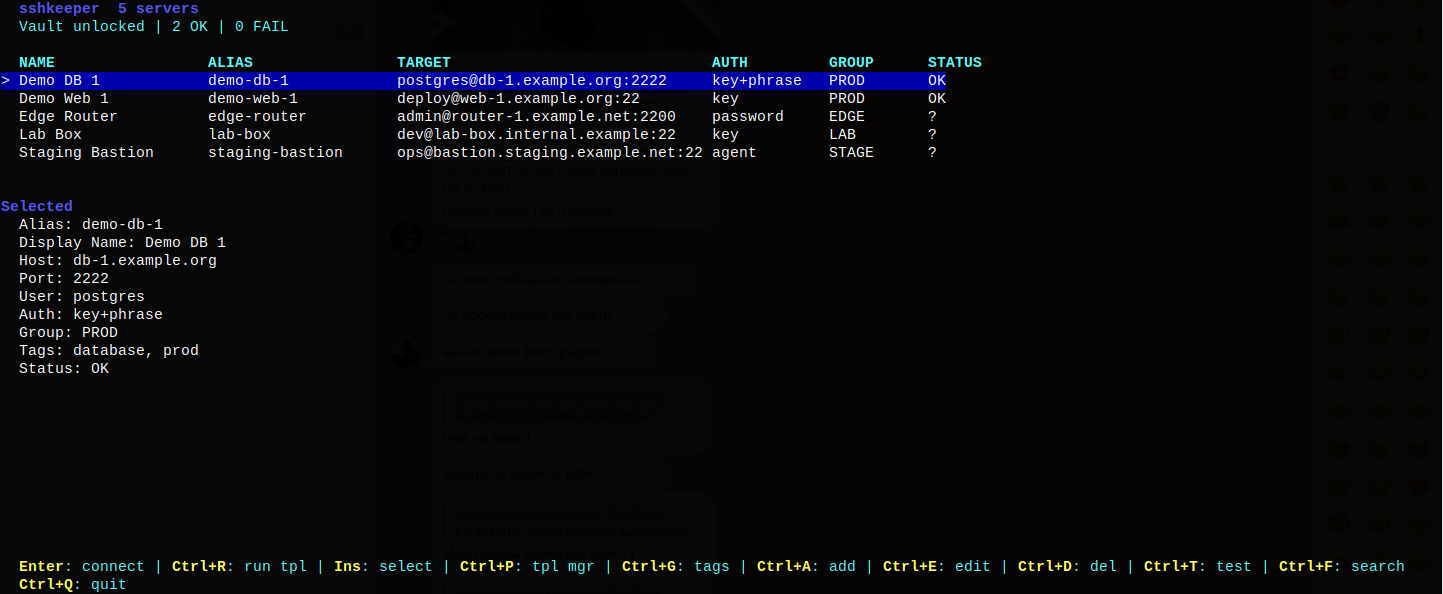
Running sshkeeper without arguments opens the TUI.
Screenshots
Main Window
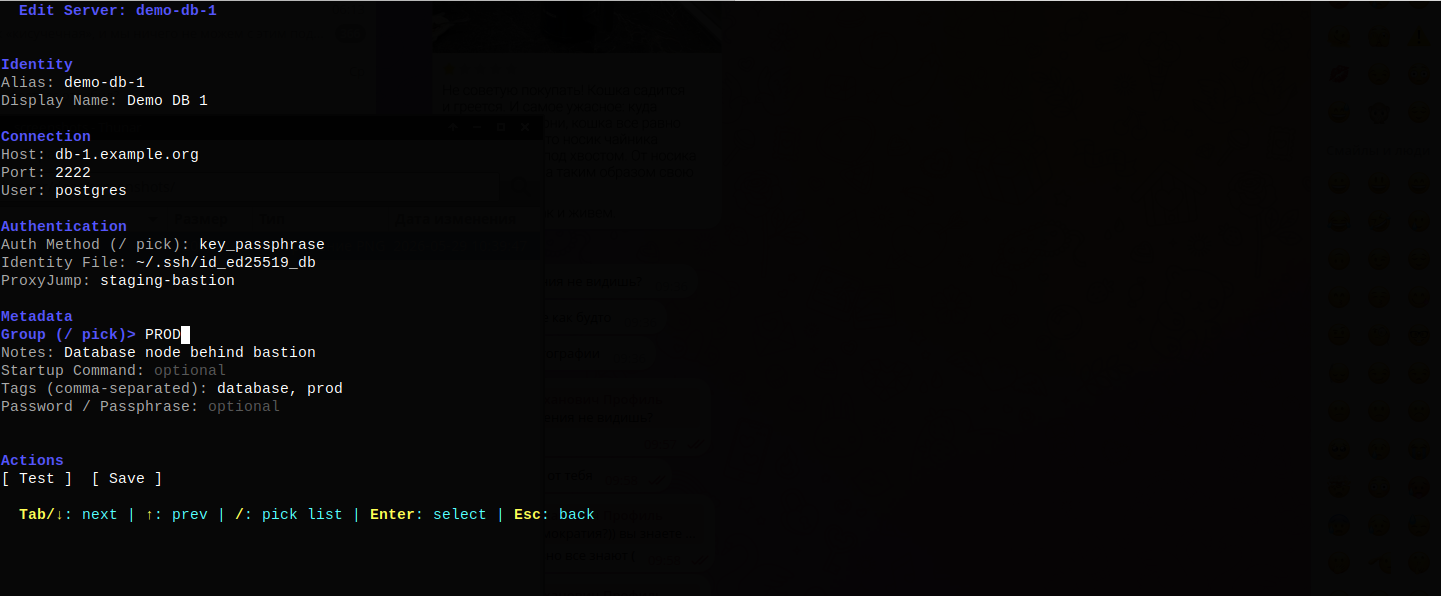
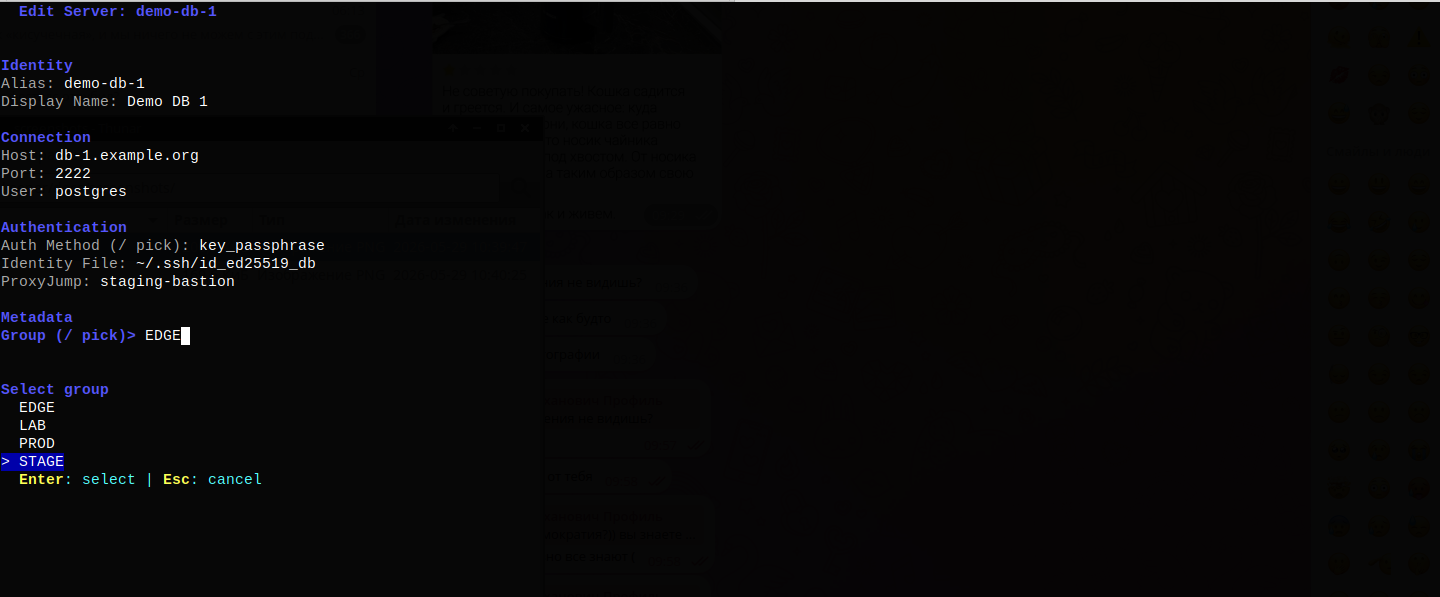
Edit Server
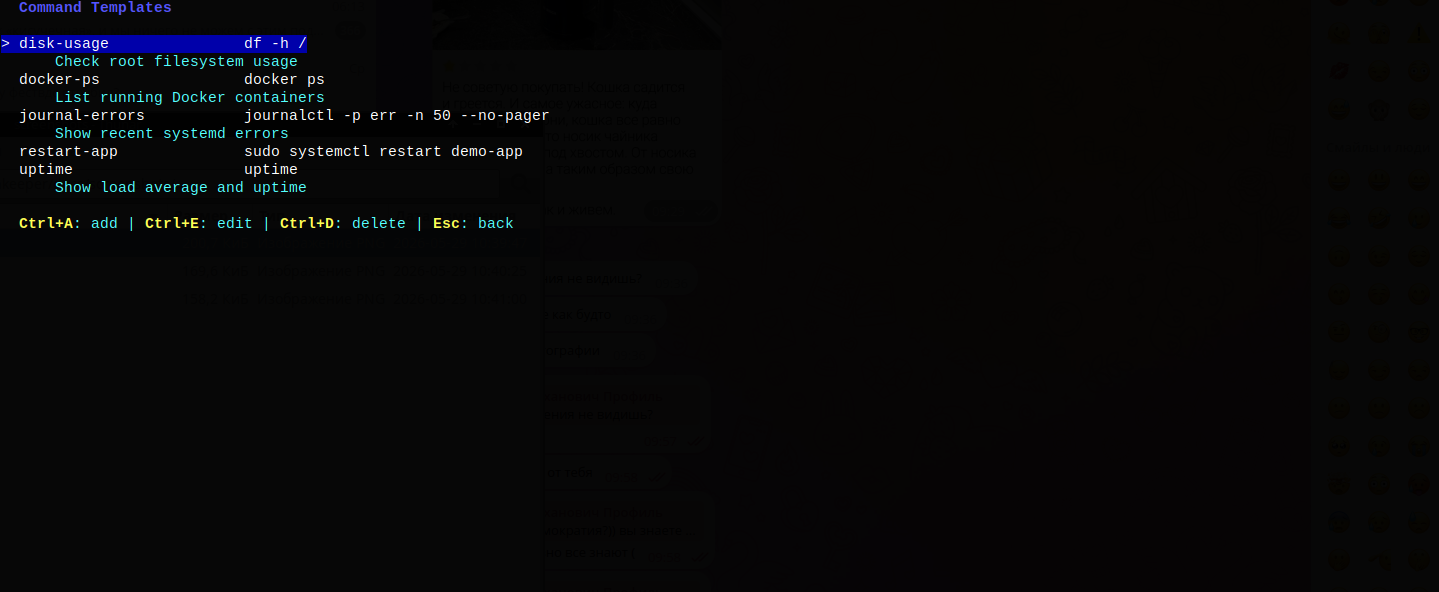
Template Manager
Route and Forwarding


| Key | Action |
|---|---|
| Enter | Connect to selected server |
| Ctrl+A | Add server |
| Ctrl+E | Edit server |
| Ctrl+F | Search |
| Ctrl+X | Action menu (connect, tunnels, forwards, route, test, edit, delete) |
| ? / F1 | Full help screen |
| Ctrl+Q / Ctrl+C | Quit |
Templates are global entities and can run on any server. Foreground template runs leave the TUI, show the SSH session in the terminal, and then return to the TUI. Background runs execute the command and show per-server output in a result screen.
In add/edit forms:
| Key | Action |
|---|---|
| Tab / Down | Next field |
| Shift+Tab / Up | Previous field |
/ on Auth Method or Group |
Pick from list |
| Enter | Move to action / activate |
| Esc | Back |
Vault
The vault stores SSH passwords and key passphrases encrypted on disk.
- Cipher: XChaCha20-Poly1305.
- KDF: Argon2id, currently 64 MiB memory, 3 iterations.
- Existing legacy vault files remain readable.
- Unlock state is process-local.
sshkeeper vault unlockverifies the master password, but it does not keep future shell commands unlocked.
Useful commands:
sshkeeper vault status
sshkeeper vault unlock
sshkeeper vault list
sshkeeper vault delete <alias> [ssh_password|key_passphrase]
sshkeeper vault change-password
vault list, vault delete, and vault change-password ask for the master
password themselves because they need to decrypt the vault in the current
process.
Security
sshkeeper stores SSH passwords and key passphrases in an encrypted local vault
and avoids passing secrets through command-line arguments. The project has not
had an independent security audit; review the implementation and threat model
before using it for high-risk environments.
Data Locations
sshkeeper uses XDG-style app directories:
| Data | Default path |
|---|---|
| Config | ~/.config/sshkeeper/config.toml |
| Database | ~/.local/share/sshkeeper/sshkeeper.db |
| Vault | ~/.local/share/sshkeeper/vault.bin |
| Generated OpenSSH config | ~/.ssh/config.d/sshkeeper.conf |
If XDG_CONFIG_HOME or XDG_DATA_HOME are set, sshkeeper stores data under
$XDG_CONFIG_HOME/sshkeeper and $XDG_DATA_HOME/sshkeeper.
Build And Test
go test ./...
go build -o bin/sshkeeper .
bin/ is ignored by git.
Project Layout
sshkeeper/
├── cmd/                 # Cobra CLI commands and TUI launcher
├── internal/config/     # XDG paths and config loading
├── internal/db/         # SQLite migrations and CRUD
├── internal/model/      # Domain models
├── internal/ssh/        # OpenSSH command building, PTY prompt handling
├── internal/tui/        # Bubble Tea UI
├── internal/vault/      # Encrypted vault
├── build.sh             # Build binary to bin/
├── release.sh           # Build release tarballs to dist/
License
MIT. See LICENSE.