13 KiB
sshkeeper
sshkeeper is a console manager for SSH profiles, secrets, and quick OpenSSH
launches. Linux and macOS are the primary release targets; Windows builds are
experimental. It does not replace OpenSSH; it keeps connection metadata in a local
SQLite database, keeps passwords/passphrases in an encrypted vault, and starts
the system ssh client with the right options.
sshkeeper is not Ansible
sshkeeper does not configure servers, push files, or manage infrastructure.
It is an SSH connection manager: it remembers how to reach your servers
(bastions, jump chains, port forwards) and launches the system ssh client.
Think of it as a smart ~/.ssh/config with a TUI, encrypted secrets, and
port forwarding management.
Features
- Bubble Tea TUI for daily interactive use.
- CLI commands for scripting and quick edits.
- Encrypted vault for SSH passwords and key passphrases.
- Password and key-passphrase auth through a PTY prompt handler, without putting secrets in command-line arguments.
- Key, SSH-agent, password, and key+passphrase auth modes.
- Routes / ProxyJump — ordered bastion chains with stable references to sshkeeper profiles; profile renames do not break routes.
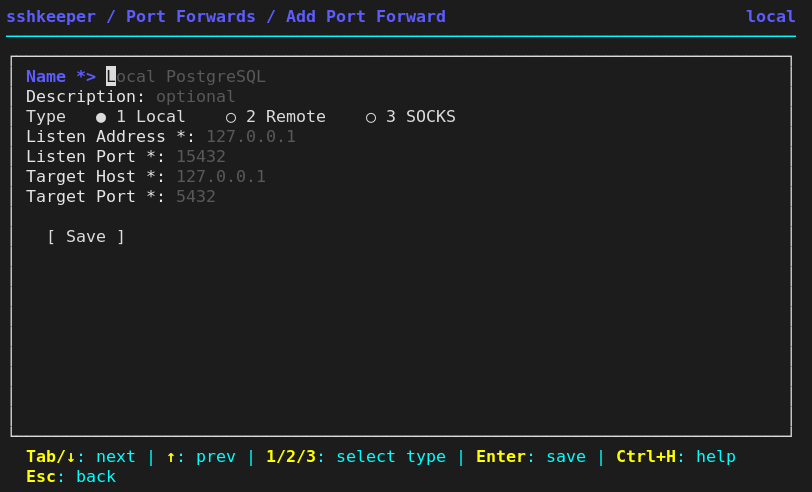
- Port forwarding — named local/remote/SOCKS forwards with type selector, validation, and OpenSSH preview.
- Tunnel management — start/stop/list background tunnels, PID tracking, runtime state.
- Tunnel vs Forward — clear separation: forward = saved rule, tunnel = running SSH process.
- First-class groups, multi-select tags, command templates, search by metadata/routes/forward ports, and OpenSSH config generation.
- Import from
~/.ssh/configand simple tab-separated export.
Install
Build from source
git clone git@github.com:mirivlad/sshkeeper.git
cd sshkeeper
go build -o ~/.local/bin/sshkeeper .
Or use the build scripts:
./build.sh          # Build binary to bin/
./release.sh        # Build release archives to dist/
Requirements: Go 1.25+ and system OpenSSH.
Platform status:
| Platform | Status | Notes |
|---|---|---|
| Linux | Primary release target | amd64/arm64 tarballs plus native .deb and .rpm packages. |
| macOS | Primary release target | darwin/amd64 and darwin/arm64 release tarballs are available. Requires system ssh client. Homebrew formula planned. |
| Windows | Experimental | Requires OpenSSH Client available as ssh.exe in PATH. Password/key-passphrase PTY flows are not validated on Windows. |
On Windows, install OpenSSH Client via Windows Optional Features or PowerShell:
Add-WindowsCapability -Online -Name OpenSSH.Client~~~~0.0.1.0
Source repositories:
- Primary public repository: github.com/mirivlad/sshkeeper
- Self-hosted mirror:
git@git.mirv.top:mirivlad/sshkeeper
Install from release
Debian/Ubuntu (amd64):
sudo apt install ./sshkeeper_0.4.0-1_amd64.deb
Fedora/RHEL-family (x86_64):
sudo dnf install ./sshkeeper-0.4.0-1.x86_64.rpm
arm64/aarch64 packages are published alongside the x86_64 builds. The
traditional tar.gz archive remains available too:
tar -xzf sshkeeper_v0.4.0_linux_amd64.tar.gz
sudo install -m 0755 sshkeeper_v0.4.0_linux_amd64/sshkeeper /usr/local/bin/sshkeeper
sshkeeper
First Run
Run the TUI or any command. On the first run, sshkeeper creates its config,
database, and vault, then asks for a master password.
sshkeeper
You can also initialize explicitly:
sshkeeper init
TUI
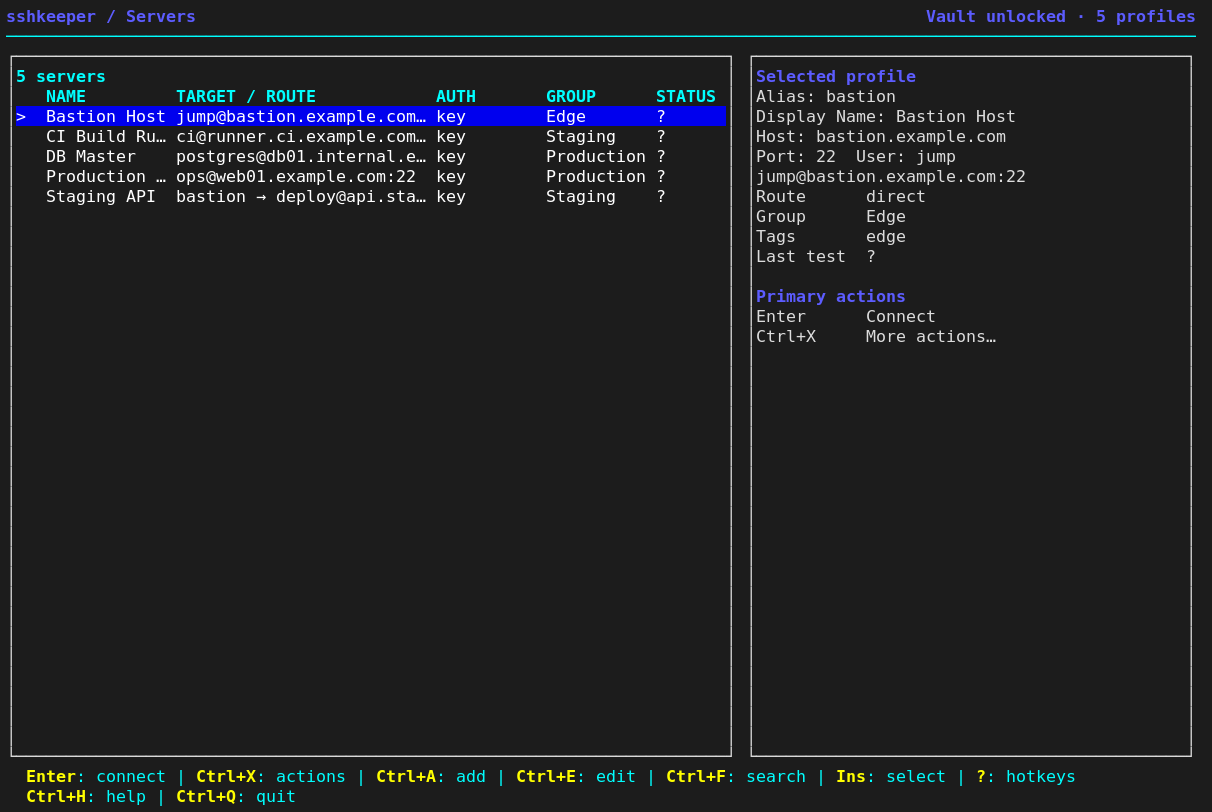
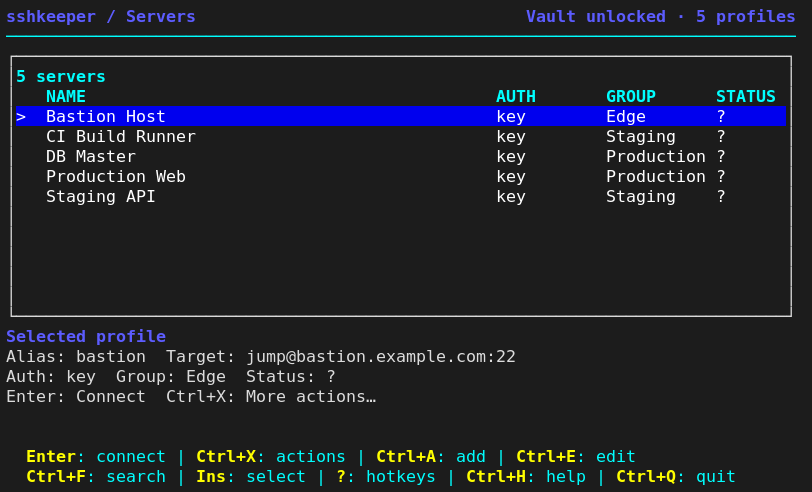
Running sshkeeper without arguments opens the TUI.
Main Window
sshkeeper / Servers                                  Vault unlocked · 1 profiles
────────────────────────────────────────────────────────────────────────────────
┌──────────────────────────────────────────────────────────────────────────────┐
│1 servers                                                                     │
│   NAME                                          AUTH       GROUP      STATUS │
│>  Production                                    agent      -          ?      │
└──────────────────────────────────────────────────────────────────────────────┘
  Enter: connect | Ctrl+X: actions | Ctrl+A: add | Ctrl+E: edit | Ctrl+Q: quit
Quick Help (?)
Press ? outside text editors for a compact hotkey reference. Inside forms and
search, ? remains normal text input.
Full Help (Ctrl+H)
Press Ctrl+H on any screen for full documentation including routes, port
forwarding, tunnels, and vault.
Ctrl+H is the BS control character (0x08). xterm and most modern emulators
send DEL (0x7F) for Backspace, so help and text editing never collide. A
terminal configured to send BS for Backspace cannot distinguish the two; switch
it to DEL (in xterm, backarrowKey: false).
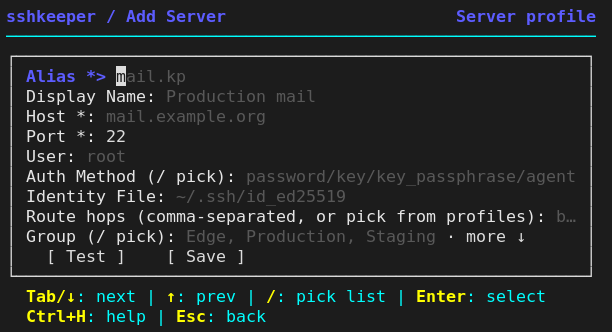
Screenshots
| Wide dashboard | Dashboard 80x24 | Server form 60x16 |
|---|---|---|
 |
 |
 |
| Port forward form | Safe confirmation |
|---|---|
 |
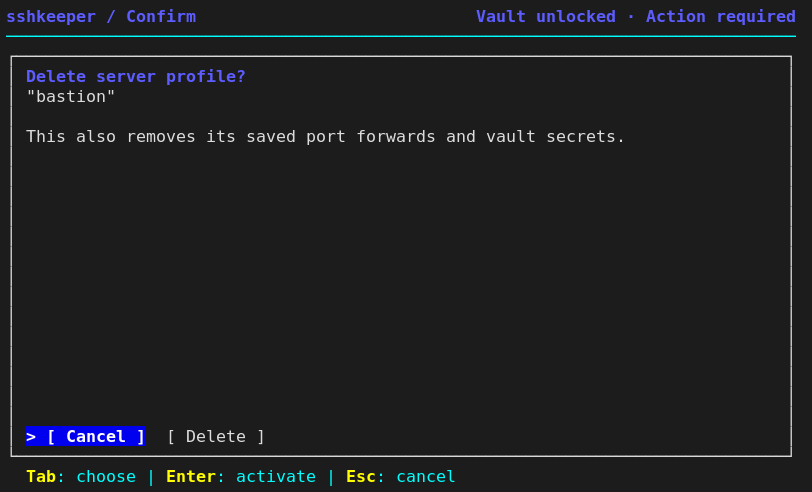 |
Key Reference
| Key | Action |
|---|---|
| Enter | Connect to selected server |
| Ctrl+A | Add server |
| Ctrl+E | Edit server |
| Ctrl+F | Search |
| Ctrl+W | Manage port forwards for selected server |
| Ctrl+X | Server actions (connect, tunnels, forwards, route, test, edit, delete) |
| m | Manage groups, tags, command templates, running tunnels, import/export, and vault |
| Ins | Select / deselect a server |
| ? | Quick help (hotkeys) |
| Ctrl+H | Full documentation |
| Ctrl+Q / Ctrl+C | Quit |
Templates are global entities and can run on any server. Foreground template runs leave the TUI, show the SSH session in the terminal, and then return to the TUI. Background runs execute the command and show per-server output in a result screen.
In add/edit forms:
| Key | Action |
|---|---|
| Tab / Down | Next field |
| Shift+Tab / Up | Previous field |
/ on Auth, Identity File, Route, Group, Startup Command, or Tags |
Open the relevant picker/editor |
| Enter | Move to action / activate |
| Esc | Back |
Routes, Tunnels, and Port Forwards
Routes are stored as ordered hops. If a hop matches an existing sshkeeper profile,
sshkeeper stores a stable reference to that profile ID, not the mutable alias. The
connection planner resolves the profile's real host/user/port/key and writes a
temporary OpenSSH config for the session, so a sshkeeper bastion does not need
a matching Host entry in ~/.ssh/config.
Use profile:<alias> to require a profile reference and raw:<target> to require
a literal OpenSSH jump target. An unprefixed exact known alias is treated as a
profile; any other value remains a raw target.
In the TUI, / on Route opens the ordered route editor: Enter adds a profile,
x/Delete removes a hop, and [/] moves it.
Jump host (single bastion)
sshkeeper route set web --jumps bastion
sshkeeper route show web
# Route: bastion → web@10.0.0.10:22
# Mode: via
# ProxyJump: bastion
Jump chain (multiple hops)
sshkeeper route set prod --jumps bastion,dmz-gw
sshkeeper route show prod
# Route: bastion → dmz-gw → prod@10.0.0.20:22
# Mode: chain
# ProxyJump: bastion,dmz-gw
Port forwards
A port forward is a saved rule that describes how to tunnel traffic through SSH. It does not start any process — it is just configuration.
# Local forward: access a remote service from your machine
sshkeeper forward add web --name "Local PostgreSQL" --type local --local-port 15432 --remote-addr 127.0.0.1 --remote-port 5432

# SOCKS proxy: route browser traffic through SSH server
sshkeeper forward add bastion --name "SOCKS Proxy" --type dynamic --local-port 1080

# Disable a saved forward
sshkeeper forward edit 1 --enabled=false

# List forwards for a server
sshkeeper forward list web
# [1] Local PostgreSQL  Local   127.0.0.1:15432  127.0.0.1:5432  yes
# [2] SOCKS Proxy       SOCKS  127.0.0.1:1080   SOCKS           yes
Forward types:
| Type | Description |
|---|---|
| Local | Port on your machine → service reachable from SSH server |
| Remote | Port on SSH server → service on your machine |
| SOCKS | Local dynamic SOCKS proxy through SSH |
Default listen address is 127.0.0.1 (localhost only). Use 0.0.0.0 with caution — the port will be accessible from the network.
Tunnels
A tunnel is a running SSH process that activates one or more port forwards.
# Connect with all enabled forwards active (interactive session)
sshkeeper tunnel web

# Start tunnels only (foreground, no shell)
sshkeeper tunnel web --forward-only

# Start tunnels in background (detached process)
sshkeeper tunnel web --background

# List running tunnels
sshkeeper tunnel list

# Stop a tunnel
sshkeeper tunnel stop <id>

# Stop every tracked tunnel
sshkeeper tunnel stop-all
Background tunnels run detached with ssh -N, require at least one enabled
forward, and currently support key or SSH-agent authentication only. Use
foreground sshkeeper tunnel <alias> or --forward-only for password and
key-passphrase authentication so the PTY prompt handler can provide the secret.
Connect vs Tunnel
| Action | Command | TUI | Description |
|---|---|---|---|
| Connect | sshkeeper connect <alias> |
Enter |
Standard SSH session, no port forwards |
| Connect with tunnels | sshkeeper tunnel <alias> |
Server Actions → Connect with tunnels | SSH session with all enabled forwards active |
| Start tunnels only | sshkeeper tunnel <alias> --forward-only |
Server Actions → Start tunnels only | Foreground tunnel, no shell |
| Start tunnels in background | sshkeeper tunnel <alias> --background |
Server Actions → Start tunnels in background | Detached tunnel process with PID tracking |
| Port forwards | sshkeeper forward |
Server Actions → Port forwards (or Ctrl+W) |
Add/edit/enable/delete forward rules |
| Running tunnels | sshkeeper tunnel list/stop/stop-all |
m → Running tunnels |
View tracked/running tunnels and stop them |
Vault
The vault stores SSH passwords and key passphrases encrypted on disk.
- Cipher: XChaCha20-Poly1305.
- KDF: Argon2id, currently 64 MiB memory, 3 iterations.
- Existing legacy vault files remain readable.
- Unlock state is process-local.
sshkeeper vault unlockverifies the master password, but it does not keep future shell commands unlocked.
Useful commands:
sshkeeper vault status
sshkeeper vault unlock
sshkeeper vault list
sshkeeper vault delete <alias> [ssh_password|key_passphrase]
sshkeeper vault change-password
vault list, vault delete, and vault change-password ask for the master
password themselves because they need to decrypt the vault in the current
process.
Security
sshkeeper stores SSH passwords and key passphrases in an encrypted local vault
and avoids passing secrets through command-line arguments. The project has not
had an independent security audit; review the implementation and threat model
before using it for high-risk environments.
Data Locations
sshkeeper uses XDG-style app directories:
| Data | Default path |
|---|---|
| Config | ~/.config/sshkeeper/config.toml |
| Database | ~/.local/share/sshkeeper/sshkeeper.db |
| Vault | ~/.local/share/sshkeeper/vault.bin |
| Generated OpenSSH config | ~/.ssh/config.d/sshkeeper.conf |
If XDG_CONFIG_HOME or XDG_DATA_HOME are set, sshkeeper stores data under
$XDG_CONFIG_HOME/sshkeeper and $XDG_DATA_HOME/sshkeeper.
Build And Test
go test ./...
go build -o bin/sshkeeper .
make release-check
bin/ is ignored by git.
For release packaging details, see docs/release.md.
Project Layout
sshkeeper/
├── cmd/                 # Cobra CLI commands and TUI launcher
├── internal/config/     # XDG paths and config loading
├── internal/db/         # SQLite migrations and CRUD
├── internal/model/      # Domain models
├── internal/ssh/        # OpenSSH command building, PTY prompt handling
├── internal/tui/        # Bubble Tea UI
├── internal/vault/      # Encrypted vault
├── internal/tunnel/     # Tunnel state management
├── docs/guide.md        # User guide
├── docs/release.md      # Release packaging guide
├── build.sh             # Build binary to bin/
├── release.sh           # Build release archives to dist/
└── main.go
License
MIT. See LICENSE.